
Your "Complete the Look" Widget Probably Isn't Styling Anything
In short: A lot of "complete the look," "style it with," and "goes well with" sections on fashion storefronts are not styling. They are powered by recommendation engines that rank on popularity or co-purchase, not on whether the items actually form an outfit. So a jacket page recommends the same jacket in another colour, and a t-shirt page recommends three more t-shirts. It looks like styling and it isn't. Here is how to tell on your own store, and what the difference costs you.
I went looking at how fashion brands do outfit recommendations on their product pages, and the same thing kept showing up. The section is labelled like a stylist did it. The logic underneath is a product feed.
The label is a claim. The engine usually doesn't back it up.
A "Complete the Look" header makes a promise: the things below go together as an outfit. But the header is just text. What actually picks the products is the recommendation engine wired behind it, and most of those engines were never built to style anything.
The most common one is a frequently-bought-together bundler. It groups items by co-purchase and by variant, so on a fashion PDP it tends to surface the same product in another colour, or the matching set, under a "goes well with" label. Then there are bestseller feeds, which show whatever sells regardless of whether it finishes the look on the page, so a shopper on a dress page gets the store's top-selling t-shirts. And there is plain related-products similarity, which surfaces items like the current one, which in fashion means more of the same category, which is the opposite of an outfit.
None of these are asking "What completes this outfit?" They are answering a different question: "What else is statistically related to this product?" That is a useful recommendation problem, but it is not a styling problem.
What this looks like
Picture a jacket product page. The "goes well with" section underneath recommends the same jacket, the matching set, and the same jacket in another colour.
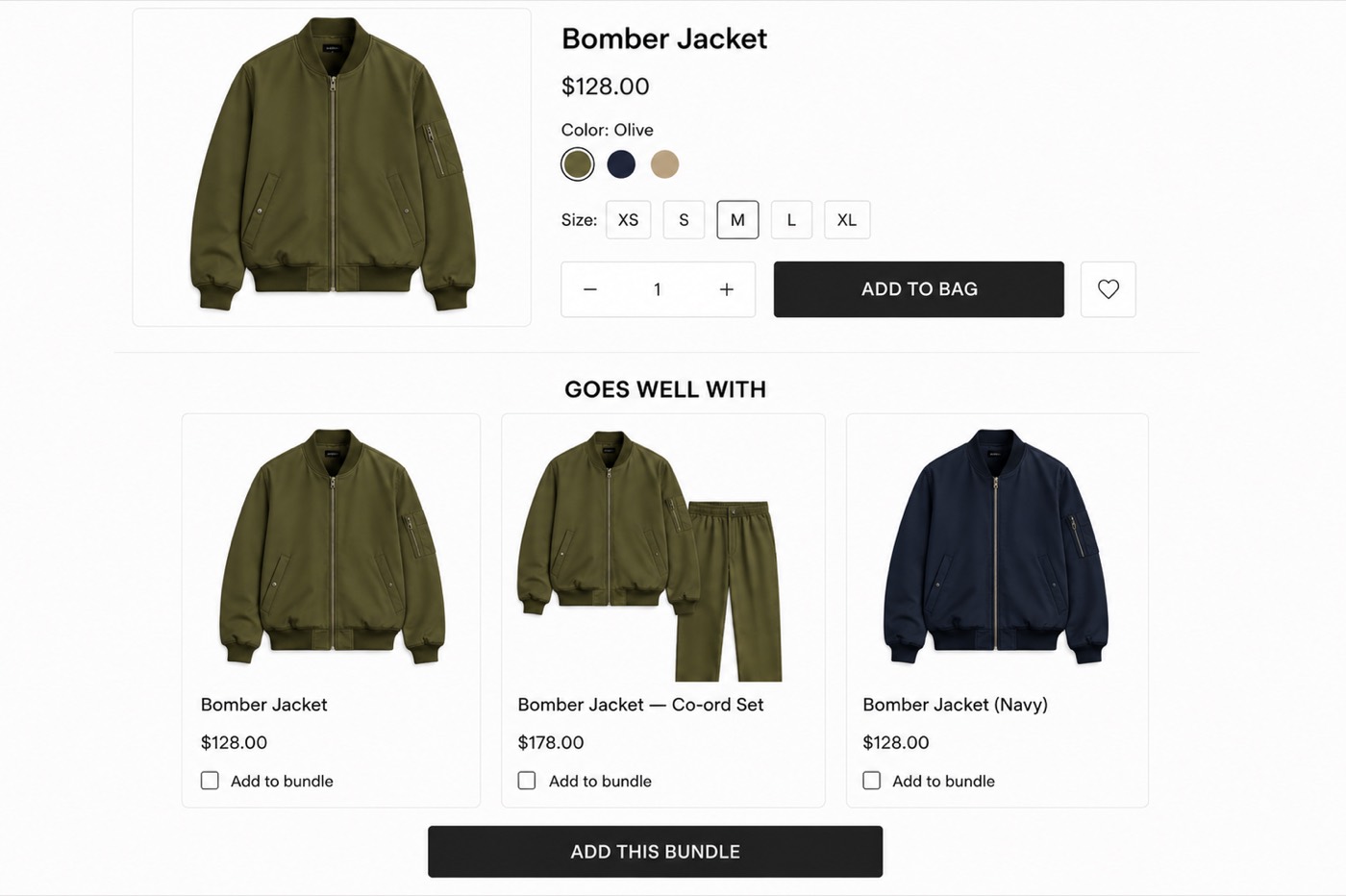
Three cards, one garment. It looks deliberate, but the app is running in frequently-bought-together mode, so it is grouping variants and co-purchases. It is not building a look. The header says it is.
Now picture a plain t-shirt page. The "complete your look" section returns three more t-shirts and a random dress.
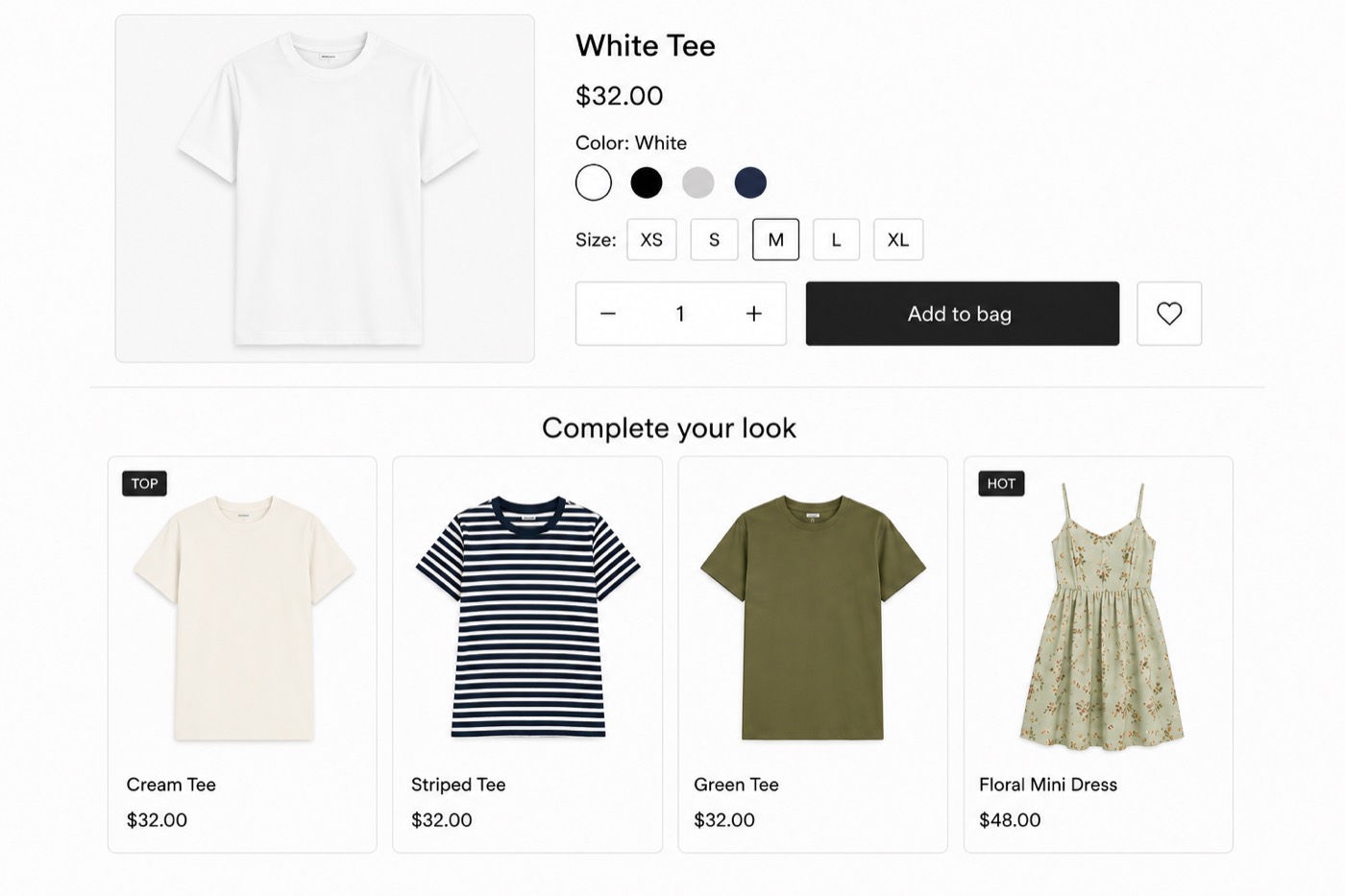
That is a bestseller feed with a styling label on top. It shows what sells, not what finishes the outfit.
Two different engines, same outcome. The label promises an outfit, the section ships a product list.
Why this costs fashion brands specifically
In most retail, "you might also like" is fine. In fashion, the whole economic point of a styled look is that it sells across categories. The shirt sells the trousers. The dress sells the jacket. That cross-category pull is the lift.
A category-blind widget cannot do that. It shows the shopper more of the thing they are already looking at, or a variant they already saw and skipped. The brand gets the real estate of a styling section and almost none of the basket-size lift it was supposed to create. On a brand that cares about how it presents, it can also just look careless, two near-identical products side by side under a "goes well with."
How to tell on your own store, in two minutes
Open any product page. Scroll to your complete-the-look section. Ask:
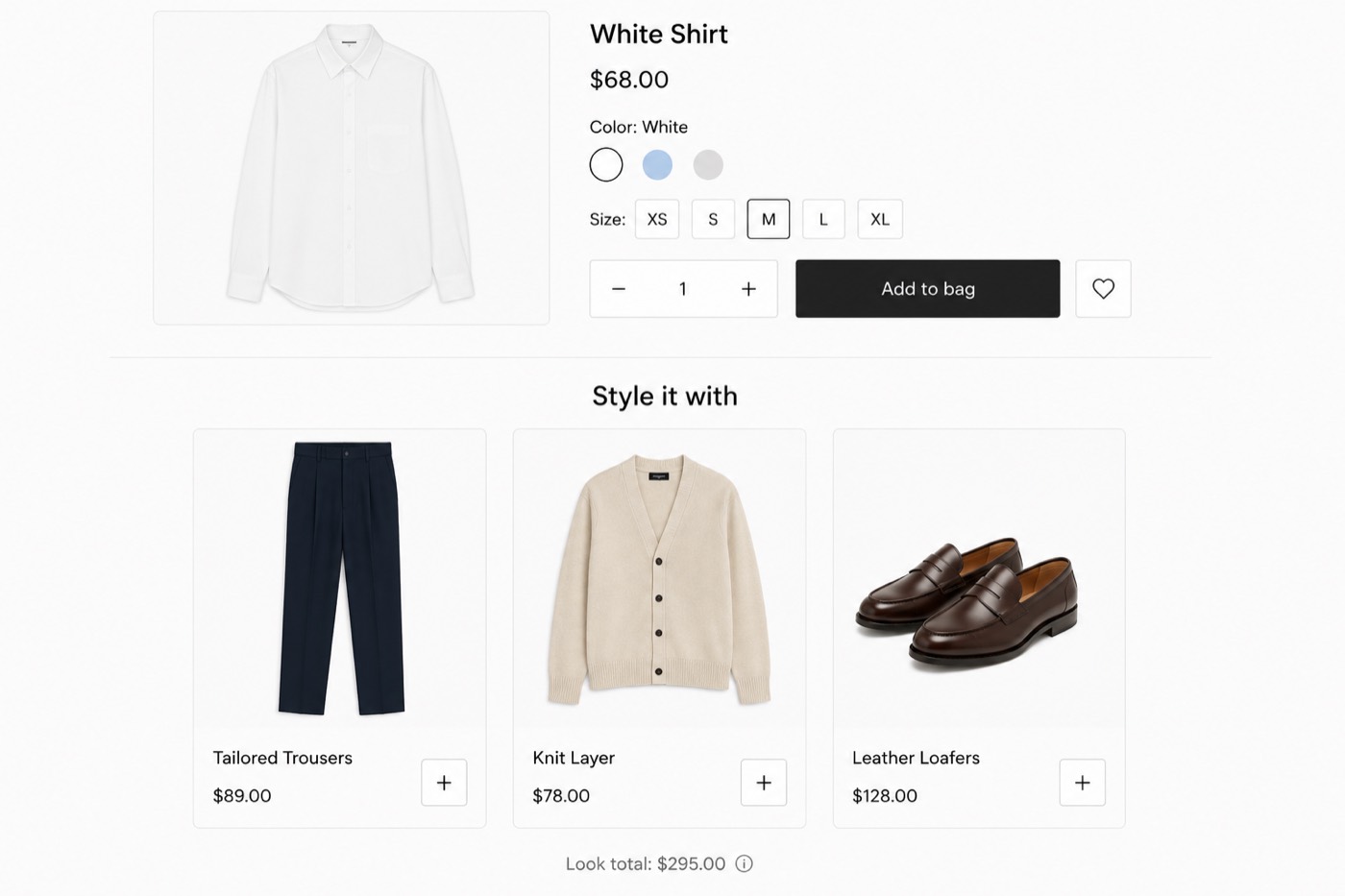
Is it showing a different category that finishes an outfit, or more of the same category? A top page should be offering bottoms, layers, footwear. If it is offering more tops, that is a feed.
Are any of the suggestions the same product in another colour or size? That is a variant bundler, not a stylist.
Does a dress page suggest a jacket or shoes, or another dress? If it suggests another dress, the engine does not understand what a dress is for.
If you see same-category suggestions or variants, the styling lives in the header, not the engine. The header is doing the styling. The software is not.
What actual styling looks like
| Feed-based recommendations | Styling-based recommendations | |
|---|---|---|
| Ranks on | popularity, co-purchase, similarity | category fit (top to bottom to layer to footwear) |
| Typical output on a top | more tops, bestsellers, variants | the trousers, the jacket, the shoes that finish it |
| Who decides | the algorithm, automatically | AI proposes, a human approves the look |
| Result | a product list | an outfit |
Real outfit recommendation is category-aware: it knows a top needs a bottom, that a layer goes over both, that footwear finishes it. And on a brand that cares about its image, it is approved by a person before it goes live, so nothing absurd ships to a shopper.
Whether to buy a behavioural personalization engine on top of that is a separate question, and it turns on how much traffic and purchase history you have rather than on which vendor is best.
Full disclosure: I build Angadi, which does exactly this, AI-built and brand-approved outfit recommendations for fashion stores on Shopify. That is the lens I looked at all these widgets through, and it is why I noticed the pattern in the first place. You do not need my app to run the two-minute check above, though. You just need to open your own product page and ask whether the thing under the styling label is styling anything.
If your "complete the look" is showing the same jacket twice, the widget is not really the problem. The engine behind it is, and it was never built to do the job the label is promising.
Frequently asked questions
Why does my Complete the Look widget show the same product twice? Because the widget is running on a frequently-bought-together or variant bundler, not a styling engine. Those group items by co-purchase and by variant, so on a fashion product page they surface the same product in another colour or the matching set. The styling label is just a header sitting on top of a recommendation feed.
What is the difference between frequently-bought-together and outfit recommendations? Frequently-bought-together ranks on co-purchase data: what statistically sells in the same order. Outfit recommendation is category-aware, reasoning about whether items form a coherent look, a top with a bottom, a layer over both, footwear to finish. One answers "what else might this shopper buy," the other answers "how do I wear this."
How do I know if my styling widget is actually styling? Open a product page and look at the suggestions. If a top page offers more tops, or any suggestion is the same product in another colour or size, it is a recommendation feed, not a stylist. Real styling shows a different category that finishes the outfit: bottoms, a layer, footwear.
Angadi builds complete outfits from your catalog and places them on every product page. It installs on Shopify with a 14-day free trial, and nothing goes live without your approval. See it on your store →